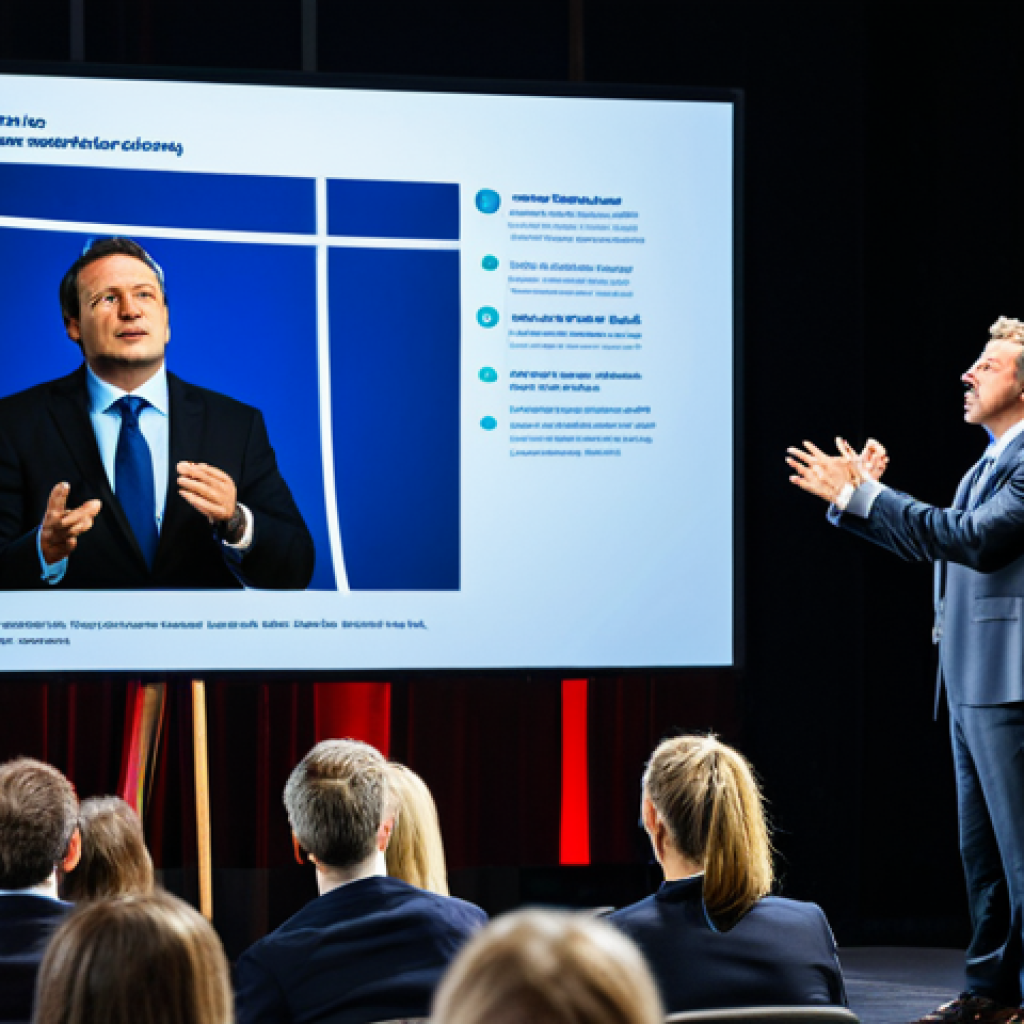
Alright, let’s dive into the often-overlooked yet critical skill of presentation mastery, especially relevant in today’s dynamic marketing landscape. Think about it – a stellar marketing strategy can fall flat if it’s not delivered with impact and clarity.
From securing buy-in from stakeholders to captivating potential clients, your presentation prowess can make or break a deal. Personally, I’ve seen firsthand how a well-crafted and confidently delivered presentation can turn a lukewarm audience into fervent advocates.
The ability to command attention, articulate your vision, and leave a lasting impression is a superpower in the marketing world. Let’s dissect the nuances of effective presentation skills.
Crafting Your Narrative: Storytelling in Presentations

In the bustling world of marketing, where data and analytics often take center stage, the art of storytelling remains a timeless and potent tool. It’s not just about reciting facts; it’s about weaving a narrative that resonates emotionally with your audience. Think of the last time you were truly captivated by a presentation. Chances are, it wasn’t the sheer volume of information that held your attention, but rather the compelling story that tied it all together. Storytelling in presentations isn’t about fictional tales; it’s about humanizing your brand, connecting with your audience on a deeper level, and making your message memorable.
1. Finding Your Core Narrative
Before you even begin to structure your presentation, take a step back and identify the core narrative you want to convey. What is the overarching message you want your audience to remember? Is it a story of overcoming challenges, achieving remarkable growth, or innovating in a new market? The core narrative should be authentic to your brand and resonate with your target audience. For example, if you’re launching a new sustainable product, your core narrative might revolve around your company’s commitment to environmental responsibility and the positive impact your product has on the planet. I remember when I was launching a new software product for a client. Initially, we were just focusing on the features and functionalities. But it wasn’t until we started framing the launch as a story of empowering small businesses to compete with larger corporations that we really saw engagement soar.
2. Structuring Your Story
A compelling story typically follows a clear structure: a beginning that introduces the context and characters, a middle that presents the challenges and conflicts, and an end that offers a resolution and a takeaway. Apply this structure to your presentation. Start by setting the stage and introducing the problem your product or service solves. Then, delve into the challenges your audience faces and how your solution addresses those challenges. Finally, conclude with a compelling vision of the future and a clear call to action. Think of it like this: your audience is the protagonist, your product is the guide, and the market is the adventure. By structuring your presentation as a journey, you’ll keep your audience engaged and invested in your message. I’ve personally found that using a visual storyboard to map out the key moments in my presentation helps me stay on track and ensure that the story flows seamlessly.
3. Show, Don’t Just Tell
One of the cardinal rules of storytelling is to show, don’t just tell. Instead of simply stating facts and figures, use vivid language, relatable anecdotes, and compelling visuals to bring your story to life. Share customer testimonials, showcase case studies, and use data to illustrate the impact of your product or service. For instance, instead of saying “Our software increases productivity,” show a graph that demonstrates the before-and-after results of a company that implemented your software. Use images, videos, and animations to create a multi-sensory experience that captivates your audience and reinforces your message. I once worked with a client who was launching a new line of gourmet dog treats. Instead of just talking about the ingredients, we created a short video that showed dogs happily devouring the treats. The video went viral and generated a huge buzz around the product. So, remember, show, don’t just tell.
Visual Aids: Enhancing Your Message, Not Overpowering It
Ah, visual aids – the trusty sidekicks of any presentation. But let’s be honest, they can easily turn into the villains if not wielded correctly. We’ve all sat through presentations where the slides were so cluttered and overwhelming that we completely lost track of what the speaker was saying. The key is to remember that visual aids are there to enhance your message, not to steal the show. Think of them as the supporting cast in your storytelling production. They should complement your narrative, clarify complex information, and keep your audience engaged, without distracting from your core message. I can’t stress this enough – less is often more when it comes to visual aids.
1. The Power of Simplicity
When designing your slides, embrace the power of simplicity. Use a clean and consistent design, limit the amount of text on each slide, and choose visuals that are relevant and impactful. Avoid using overly complicated charts, distracting animations, or cheesy clip art. Instead, focus on creating a visually appealing and easy-to-understand presentation. Use bullet points sparingly, and opt for concise phrases over long paragraphs. Think of each slide as a visual snapshot that reinforces a key point in your narrative. Remember, your audience is there to hear you speak, not to read a novel on the screen. I personally swear by the 6×6 rule: no more than six bullets per slide and no more than six words per bullet. It forces me to be concise and focused in my messaging.
2. Choosing the Right Visuals
The visuals you choose should be relevant to your message, visually appealing, and high-quality. Use images, videos, and charts to illustrate your points, but make sure they are not distracting or irrelevant. Avoid using generic stock photos that look out of place. Instead, opt for authentic images that resonate with your audience and reflect your brand. When using charts and graphs, make sure they are easy to read and understand. Label your axes clearly, use contrasting colors, and highlight key data points. If you’re presenting data, consider using an infographic instead of a traditional chart to make the information more engaging and visually appealing. I once saw a presenter use a series of abstract paintings to illustrate the different stages of the product development process. It was visually stunning but completely irrelevant to the message. Don’t make that mistake.
3. Mastering the Art of Timing
Timing is everything when it comes to using visual aids effectively. Advance your slides at a pace that keeps your audience engaged without overwhelming them. Don’t leave a slide up for too long, and don’t switch slides too quickly. Use animations and transitions sparingly, and only when they enhance your message. For example, you might use a subtle animation to reveal a key data point on a chart or a smooth transition to move from one topic to the next. Rehearse your presentation thoroughly to ensure that your visuals are perfectly synchronized with your speech. I’ve found that using a clicker with a built-in timer helps me stay on track and avoid rushing through my slides. It’s also a good idea to have a backup plan in case your visuals fail to load or display correctly. Always be prepared to present without your slides if necessary.
Understanding Your Audience: Tailoring Your Presentation
Imagine preparing a gourmet meal without knowing who you’re cooking for. Would you know their dietary restrictions? Their favorite flavors? The same principle applies to presentations. You can have the most compelling content and dazzling visuals, but if you haven’t taken the time to understand your audience, your message is likely to fall flat. Understanding your audience is about more than just knowing their demographics. It’s about understanding their needs, their motivations, their challenges, and their expectations. It’s about tailoring your message to resonate with them on a personal level. I learned this lesson the hard way when I gave a presentation to a group of seasoned executives using the same approach I used with a group of recent college graduates. The executives were bored and disengaged, while the graduates were overwhelmed and confused. That’s when I realized the importance of tailoring my presentation to my audience.
1. Research and Preparation
Before you even start crafting your presentation, take the time to research your audience. Find out who they are, what they do, and what they care about. Use social media, industry publications, and online forums to gather information about their interests, their challenges, and their pain points. If possible, try to speak with a few members of your audience beforehand to get a better understanding of their needs and expectations. The more you know about your audience, the better equipped you’ll be to tailor your message to them. For example, if you’re presenting to a group of financial analysts, you’ll want to focus on the data and the numbers. But if you’re presenting to a group of creative marketers, you’ll want to focus on the visuals and the storytelling. I always start by creating a detailed audience profile that includes their demographics, their interests, their challenges, and their goals. It helps me stay focused and ensure that my message resonates with them.
2. Adapting Your Style
Once you understand your audience, you need to adapt your presentation style to suit their preferences. If you’re presenting to a formal audience, you’ll want to use a more structured and professional approach. But if you’re presenting to a more casual audience, you can be more relaxed and conversational. Pay attention to your tone, your language, and your body language. Use humor appropriately, and avoid using jargon or technical terms that your audience may not understand. Be mindful of cultural differences and avoid making assumptions or stereotypes. Remember, your goal is to connect with your audience on a personal level, so be authentic and genuine. I once had to present to a group of international clients, and I quickly realized that my usual American-style presentation was not going to work. I had to adapt my language, my humor, and my body language to be more culturally sensitive. It was a challenging but rewarding experience.
3. Engaging Your Audience
Engaging your audience is crucial for keeping them interested and invested in your message. Use interactive elements, such as polls, quizzes, and Q&A sessions, to involve your audience in the presentation. Ask questions, solicit feedback, and encourage participation. Make eye contact with individual members of your audience, and use gestures and body language to connect with them. Create a sense of community and encourage dialogue. If you’re presenting online, use chat features and virtual whiteboards to facilitate interaction. Remember, your audience is not just there to listen to you speak; they’re there to participate in a conversation. I always try to start my presentations with an icebreaker or a thought-provoking question to get my audience engaged right from the start. It sets the tone for a more interactive and collaborative presentation.
Delivery Dynamics: Mastering Your Stage Presence
Okay, you’ve crafted a compelling narrative, designed stunning visuals, and tailored your message to your audience. But all that hard work can be undone if your delivery is lackluster. Mastering your stage presence is about more than just standing up and talking. It’s about commanding attention, projecting confidence, and connecting with your audience on a personal level. It’s about using your voice, your body language, and your energy to bring your presentation to life. I’ve seen brilliant ideas get lost in translation because the presenter lacked the stage presence to convey them effectively. Don’t let that happen to you.
1. Vocal Variety and Projection
Your voice is one of your most powerful tools when it comes to presenting. Use vocal variety to keep your audience engaged and interested. Vary your pitch, your pace, and your volume to emphasize key points and create a dynamic listening experience. Project your voice clearly and confidently, making sure that everyone in the room can hear you. Avoid speaking in a monotone or mumbling. Practice your pronunciation and enunciation, and eliminate filler words like “um,” “ah,” and “you know.” Record yourself practicing and listen back to identify areas for improvement. I used to have a terrible habit of saying “like” every other word. It wasn’t until I started recording myself that I realized how distracting it was. Now, I make a conscious effort to eliminate filler words from my speech.
2. Body Language and Eye Contact

Your body language speaks volumes, even when you’re not saying a word. Stand tall, maintain good posture, and use gestures to emphasize your points. Avoid fidgeting, pacing, or crossing your arms. Make eye contact with individual members of your audience to connect with them on a personal level. Smile genuinely and project a warm and approachable demeanor. Use your body language to convey confidence, enthusiasm, and sincerity. Practice in front of a mirror or record yourself to identify any distracting habits or nervous ticks. I once worked with a CEO who had a habit of constantly adjusting his tie during presentations. It was a small thing, but it made him look nervous and unsure of himself. We worked together to break that habit, and his stage presence improved dramatically.
3. Handling Nervousness
It’s natural to feel nervous before a presentation, but don’t let your nerves get the best of you. Prepare thoroughly, practice extensively, and visualize success. Take deep breaths to calm your nerves and focus your mind. Arrive early to familiarize yourself with the venue and the equipment. Engage with your audience before you start speaking to build rapport and ease your anxiety. Remember, your audience is rooting for you. They want you to succeed. Focus on delivering value and connecting with your audience, and your nerves will fade into the background. I used to get so nervous before presentations that I would almost pass out. But over time, I’ve learned to manage my nerves by focusing on my purpose and my audience. Now, I actually enjoy the challenge of presenting.
Leveraging Technology: Tools to Enhance, Not Hinder
In today’s digital age, technology is an integral part of almost every presentation. From presentation software to interactive tools, there’s a wealth of technology available to help you create and deliver a more engaging and effective presentation. However, it’s important to remember that technology is a tool, not a crutch. Don’t let technology distract from your message or hinder your delivery. Use technology to enhance your presentation, not to replace your skills as a communicator. I’ve seen presenters become so reliant on their slides that they completely lose their ability to think on their feet or connect with their audience. Don’t let that happen to you.
1. Choosing the Right Tools
There are countless presentation software options available, from traditional programs like PowerPoint and Keynote to cloud-based platforms like Prezi and Google Slides. Choose the tool that best suits your needs and your style. Consider the features, the ease of use, and the compatibility with your audience’s devices. Experiment with different tools to find the one that you’re most comfortable with. Don’t be afraid to try something new, but make sure you have a backup plan in case something goes wrong. I personally prefer Google Slides because it’s cloud-based, collaborative, and easy to use. But I always have a PDF version of my presentation ready to go in case the internet connection fails.
2. Interactive Engagement Tools
Interactive engagement tools can help you keep your audience engaged and involved in your presentation. Use polls, quizzes, and Q&A platforms to solicit feedback, encourage participation, and foster dialogue. Consider using a virtual whiteboard to brainstorm ideas or collaborate on solutions. Use social media to promote your presentation and engage with your audience before, during, and after the event. Choose tools that are easy to use, accessible on multiple devices, and compatible with your presentation software. I’ve found that using a live polling platform like Mentimeter can be a great way to get real-time feedback from my audience and tailor my presentation accordingly.
3. Avoiding Technological Pitfalls
Technology can be a powerful tool, but it can also be a source of frustration and embarrassment if not used properly. Test your equipment thoroughly before your presentation to ensure that everything is working correctly. Have a backup plan in case of technical difficulties, such as a spare laptop, a projector bulb, or a printed copy of your slides. Be prepared to troubleshoot common problems, such as a frozen screen, a dead microphone, or a dropped internet connection. Don’t let technology distract from your message or hinder your delivery. Remember, you are the star of the show, not your slides. I once saw a presenter spend half of his presentation trying to fix a technical problem with his laptop. It was a disaster. Always be prepared for the unexpected, and don’t let technology derail your presentation.
Feedback and Iteration: Continuous Improvement in Presenting
Presenting, like any skill, requires continuous improvement. You’re not born a presentation guru; it’s something you hone over time. The key is to actively seek feedback and use it to refine your approach. Think of each presentation as a learning opportunity, a chance to experiment, and a stepping stone toward becoming a more confident and effective speaker. I remember when I first started presenting, I was so nervous that I would just rush through my slides, barely making eye contact with the audience. It wasn’t until I started asking for feedback that I realized how much room I had for improvement.
1. Seeking Constructive Criticism
Don’t be afraid to ask for feedback from your colleagues, your mentors, or even your audience. Ask them what they liked about your presentation, what they didn’t like, and what they think you could improve. Be open to constructive criticism and avoid getting defensive. Remember, feedback is a gift, not a personal attack. Use the feedback you receive to identify your strengths and weaknesses and to develop a plan for improvement. I always ask a trusted colleague to watch my presentations and provide me with honest feedback. It’s sometimes difficult to hear, but it’s always helpful. I also record my presentations and watch them back to identify areas where I can improve my delivery, my body language, and my vocal variety.
2. Analyzing Your Performance
In addition to seeking external feedback, take the time to analyze your own performance. Reflect on what went well, what didn’t go well, and what you learned from the experience. Use your notes, your recordings, and your memories to identify areas where you can improve your content, your visuals, and your delivery. Consider the reactions of your audience and adjust your approach accordingly. Did they seem engaged? Did they ask questions? Did they provide positive feedback? Use this information to refine your message and your style. I keep a journal where I record my thoughts and reflections after each presentation. It helps me process what happened and identify areas for improvement. I also use analytics tools to track my audience engagement and to measure the impact of my presentations.
3. Iterating and Refining
Presenting is an iterative process. Don’t expect to be perfect right away. Use the feedback you receive and the insights you gain to iterate and refine your approach over time. Experiment with different techniques, different styles, and different tools to find what works best for you. Don’t be afraid to take risks and try new things. The more you present, the more confident and effective you’ll become. Remember, even the most seasoned speakers are constantly learning and improving. I’ve been presenting for over 20 years, and I still find new ways to improve my skills. The key is to be open to learning, to be willing to experiment, and to never stop seeking feedback.
| Skill | Description | Benefit |
|---|---|---|
| Storytelling | Crafting a narrative that resonates emotionally with the audience. | Makes the message memorable and connects with the audience on a deeper level. |
| Visual Aids | Using visuals to enhance the message without distracting from the core narrative. | Clarifies complex information and keeps the audience engaged. |
| Audience Understanding | Tailoring the presentation to the specific needs and expectations of the audience. | Ensures that the message resonates with the audience and achieves its intended impact. |
| Delivery Dynamics | Mastering stage presence, including vocal variety, body language, and eye contact. | Commands attention, projects confidence, and connects with the audience on a personal level. |
| Technology Leverage | Using technology to enhance the presentation without becoming a distraction. | Creates a more engaging and effective presentation experience. |
| Feedback and Iteration | Continuously seeking feedback and using it to refine the presentation approach. | Leads to continuous improvement and greater effectiveness in presenting. |
Crafting presentations that truly captivate and resonate is an ongoing journey. By embracing storytelling, mastering visual aids, understanding your audience, honing your delivery, and leveraging technology effectively, you’ll be well on your way to becoming a presentation maestro.
Remember to always seek feedback and iterate on your approach, and you’ll be sure to leave a lasting impression on your audience.
In Closing
As you integrate these techniques into your presentation toolkit, remember that authenticity and connection are key. Let your passion shine through, be genuinely interested in your audience, and don’t be afraid to inject your personality into your delivery. Each presentation is an opportunity to connect, inspire, and leave a lasting impression.
Helpful Tips to Remember
1. Always rehearse your presentation multiple times, ideally in front of a mirror or with a friend.
2. Prepare for potential technical glitches by having backup slides or handouts ready.
3. Start with a strong hook, such as a compelling question or a surprising statistic, to grab your audience’s attention immediately.
4. Use a clear and concise call to action at the end of your presentation, telling your audience exactly what you want them to do next.
5. Don’t be afraid to show vulnerability and share personal anecdotes to connect with your audience on a deeper level.
Key Takeaways
* Storytelling is King: Weave narratives that connect emotionally with your audience.
* Visuals Matter: Use simple, relevant visuals to enhance your message, not overshadow it.
* Know Your Crowd: Tailor your presentation to your audience’s needs and expectations.
* Presence is Power: Master your stage presence with vocal variety and confident body language.
* Tech as a Tool: Leverage technology to enhance, but never hinder, your presentation.
* Always Improve: Seek feedback and iterate on your approach for continuous growth.
Frequently Asked Questions (FAQ) 📖
Q: What’s the biggest mistake people make when giving marketing presentations?
A: Honestly, I think the biggest blunder is focusing too much on what they want to say and not enough on who they’re saying it to. I’ve been there – meticulously crafting slides packed with data and industry jargon, only to watch the audience glaze over.
It’s crucial to tailor your message, language, and visuals to resonate with your specific audience. Are they seasoned executives who want the bottom line?
Or are they potential investors who need a compelling narrative? Understanding your audience’s needs and interests is paramount. Instead of a data dump, try telling a story they can connect with.
Use relatable examples and cut out the fluff. I once saw a presentation completely bomb because the speaker used super technical terms with a group of small business owners.
They were completely lost and disengaged after the first five minutes.
Q: How do you handle nervousness before a big presentation?
A: Oh man, pre-presentation jitters are the worst, right? Even after years of public speaking, I still get butterflies. What works for me is a combination of preparation and mindful relaxation.
Firstly, practice, practice, practice! The more comfortable you are with your material, the less anxious you’ll feel. I rehearse out loud several times, sometimes even recording myself to identify areas for improvement.
Secondly, I incorporate some relaxation techniques. Deep breathing exercises can work wonders. I also find visualizing success – imagining myself delivering a confident and engaging presentation – helps calm my nerves.
I remember before a major pitch to a new client, I was a wreck. My mentor suggested jumping jacks and blasting my favorite pump-up song. It sounds ridiculous, but it worked!
The key is finding what helps you center yourself. Oh, and a quick tip: avoid caffeine right before you go on! It’ll just amplify those jitters.
Q: What are some simple visual aids that can really elevate a marketing presentation?
A: Okay, forget death-by-PowerPoint! No one wants to see endless bullet points and confusing charts. Simple, clean visuals are key.
I’m a big fan of using high-quality images and infographics to illustrate key concepts. They’re way more engaging than walls of text. Think about using visuals to tell a story.
Maybe a compelling photograph that evokes emotion or a well-designed chart that clearly illustrates a trend. I once used a series of photos showing customers using our product in everyday situations and it instantly made the presentation more relatable.
Also, don’t underestimate the power of a well-placed video clip. A short testimonial or a product demo can be incredibly effective. The bottom line: keep it visually appealing, relevant, and easy to understand.
Don’t let your visuals distract from your message; they should enhance it.
📚 References
Wikipedia Encyclopedia
구글 검색 결과
구글 검색 결과
구글 검색 결과
구글 검색 결과